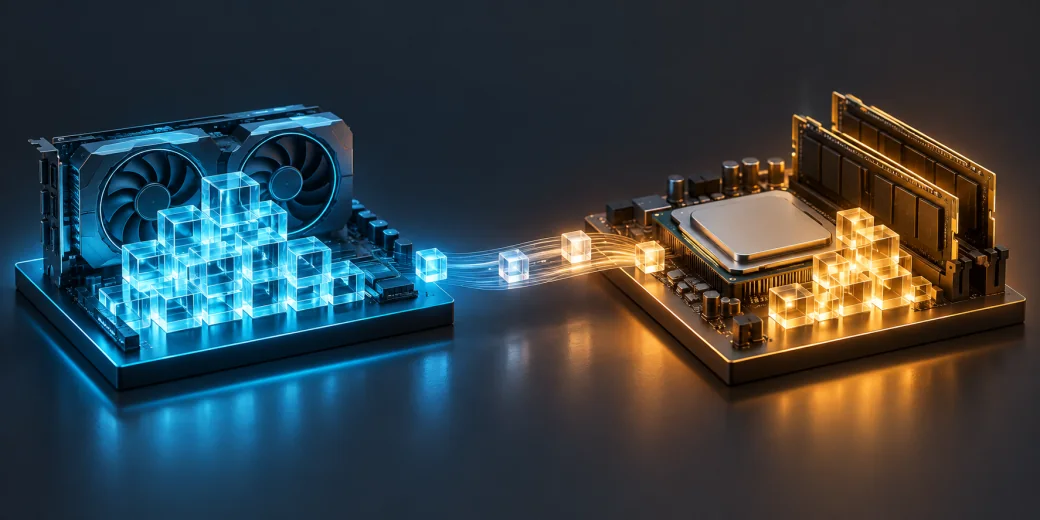
If your model fits on the card, GPU computation is a good starting point. In our comparison, the same 72B model responded much faster with its layers on the GPU. Moving part of the work to the CPU and system RAM reduced GPU memory use but made responses take longer.
VRAM is memory on the graphics card; RAM is the server’s system memory. We call this split between GPU and CPU offloading. It can make a larger model possible, but does not turn RAM into an equally fast extension of GPU memory.
What changed when part of the model moved to RAM?
We compared Qwen2.5-72B-Instruct Q4_K_M on one server. Q4_K_M is a more compact way to store model data; all three variants used exactly the same files. Layers are successive parts of the model’s calculations. The GPU variant ran all 81 layers on the card; the other variants ran 40 and 20 there respectively.
| Model placement | First token — median | Complete response — median | Generation — mean | VRAM — highest sample |
|---|---|---|---|---|
| GPU | 1.7 s | 11.4 s | 26.1 tokens/s | 43.9 GiB |
| GPU + RAM: 40/81 layers on GPU | 12.4 s | 249.6 s | 1.1 tokens/s | 22.5 GiB |
| GPU + RAM: 20/81 layers on GPU | 17.6 s | 365.0 s | 0.7 tokens/s | 12.2 GiB |
Times cover 2048 input tokens and 256 output tokens, with one request at a time. A token is a piece of text, not necessarily a whole word. The median is the middle of three measurements. The VRAM column covers samples across all six measured responses for each variant, combining 2048- and 8192-token inputs — not just the shorter test.
Who should choose GPU, and who might use GPU plus RAM?
For interactive chat, we would choose the GPU variant here. It had a clear advantage in initial waiting time and generation speed. When a model already fits on the card, moving it into RAM simply to free VRAM carries a substantial response-time cost in this configuration.
A split may make sense for queued work: for example, overnight document processing where access to a larger model matters more than an immediate reply. That is a possible use case to validate, not a document-analysis quality test performed here. Separately, we show a 235B model running with GPU and RAM.
Assessment: RAM expands the available model choices, while GPU provides speed. These results describe this machine’s processor and memory layout; they are not a forecast for every server or a configuration with more RAM.
See the models we tested, explore the server configuration or describe your model and acceptable response time. Our AI and GPU glossary explains the terminology.
Technical details
Comparison conditions
The model source is Qwen2.5-72B-Instruct-GGUF at the pinned revision, in Q4_K_M format with 41.0 GiB of weight files. It has a separate Qwen License. We changed the requested layer placement, not the model, its format or the hardware. The running engine’s record confirms the actual layer counts.
| Component | Measurement configuration |
|---|---|
| Tested GPU | NVIDIA RTX PRO 6000 Blackwell Max-Q Workstation Edition, 96 GB VRAM |
| Processor | AMD EPYC 4565P, 16 cores and 32 logical CPUs |
| Test machine system RAM | 96 GB |
| NVIDIA driver | 595.91.07 |
| Engine | llama.cpp 0.5.0-dev, release b11146 |
| Input / output | 2048 or 8192 tokens / 256 tokens |
| Concurrency | One request and one server slot |
| Repetitions | One separate warm-up followed by three measured responses per input length |
| Context allocation | 8704 tokens; F16 KV cache and Flash Attention |
| CPU / batch / ubatch | 16 threads / 2048 / 512 |
| GPU power limit and cooling | 300 W; automatically controlled chassis fans |
The engine revision was 7fe450e19305b828c199d602c23a8337aaa1f03b, using mmap loading without mlock; prompt caching, context shifting, automatic memory fitting and lazy mode were disabled. This is a completed series of short responses, not a multi-hour test of each variant. Recorded samples did not show thermal throttling; sampling cannot rule out shorter events between observations.
Results for both input lengths
| Variant · input tokens | First token — median | Complete response — median | Generation — mean | Process CPU — mean share of host capacity |
|---|---|---|---|---|
| GPU · 2048 | 1.7 s | 11.4 s | 26.1 tokens/s | 3.1 % |
| GPU · 8192 | 7.0 s | 17.2 s | 25.2 tokens/s | 3.1 % |
| GPU + RAM: 40/81 layers on GPU · 2048 | 12.4 s | 249.6 s | 1.1 tokens/s | 47.0 % |
| GPU + RAM: 40/81 layers on GPU · 8192 | 50.9 s | 300.8 s | 1.0 tokens/s | 41.5 % |
| GPU + RAM: 20/81 layers on GPU · 2048 | 17.6 s | 365.0 s | 0.7 tokens/s | 47.5 % |
| GPU + RAM: 20/81 layers on GPU · 8192 | 72.2 s | 439.5 s | 0.7 tokens/s | 42.1 % |
CPU reports the process’s mean share of the total capacity of 32 logical CPUs, from counters bracketing each response. It is not the utilization of a single core. Generation is the mean decode-stage rate reported by the engine, not 256 tokens divided by the complete response time. In this llama.cpp version it covers 255 decode steps: the first token is produced during input processing. The CSV separately reports end-to-end throughput.
Memory and the RAM configuration
The GPU label does not mean zero RAM usage: the operating system, application and some data still need it. Table VRAM values are global card-memory samples across the combined windows of six measured responses. They are not weight sizes, required reservations or readings specific to one input length. GiB denotes units of 2³⁰ bytes.
Firmware SMBIOS records report two 48 GiB modules in channel A positions A0 and A1, empty B0 and B1 slots, and a configured rate of 3600 MT/s. This is a separate memory-configuration observation, not physical slot verification, a bandwidth measurement or proof of what caused the performance difference. CPU execution also depends on RAM topology and bandwidth. We do not project these timings onto the offered 192 GB configuration or other servers.
Loading, warm-up and responses have different memory and storage-reading scopes. The CSV separates the whole case from the combined completed-response windows; memory and I/O values repeated across both context rows are not separate context-specific measurements. Storage counters cover observed intervals, not every memory operation. A file read does not prove swap usage; mapping a file does not establish that the entire model resided in RAM.
Complete results, versions, weight hashes and measurement scopes are in the reviewed campaign JSON. The timings and speeds are neither an answer-quality assessment nor a comparison of different models.